
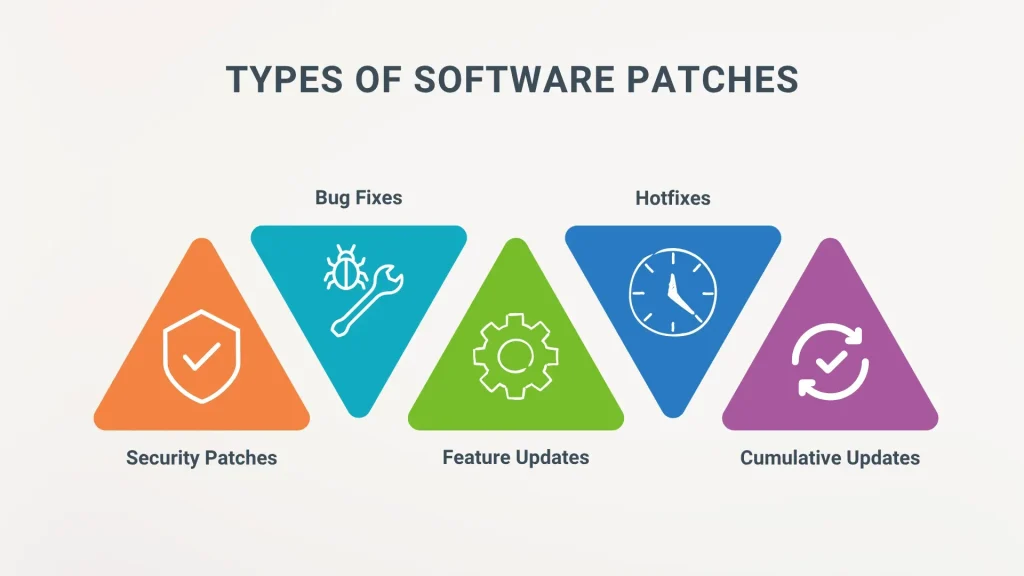
Software patches are essential updates released by software vendors to fix defects, close security gaps, and improve functionality. Though small, these patches play a central role in protecting systems and data, and underpin software patching practices across modern IT ecosystems, including on-premises, cloud, and hybrid environments. This introductory guide explains what patches are, how they work, and why they matter for individuals, teams, and enterprises alike. You will understand the patch management process, the difference between security patches and non-security updates, and practical steps to implement a robust program, with guidance that aligns to governance and compliance requirements. Adopting patch deployment best practices and vulnerability remediation strategies helps keep software reliable and secure.
In practical terms, these fixes are part of a broader update program designed to keep applications and infrastructure resilient. Organizations manage a lifecycle of patches, security fixes, and maintenance releases that address known weaknesses. A structured approach combines vulnerability management, risk-based prioritization, and controlled rollout to minimize disruption. By coordinating testing, approvals, and continuous monitoring, teams maintain compliance while reducing exposure to threats.
1) Understanding Software Patches and Their Importance for Security and Reliability
Software patches are small, targeted updates released by software vendors to fix defects, close security gaps, and improve functionality. Although modest in size, patches play a central role in protecting systems and data by addressing bugs, performance issues, and compatibility concerns, while sometimes introducing beneficial enhancements.
Security patches, the most critical type, specifically close vulnerabilities attackers could exploit to gain unauthorized access, steal data, or disrupt services. For individuals and organizations alike, applying patches promptly reduces exposure windows and helps maintain stable, secure environments, underscoring why software patching is a foundational practice in modern IT and cybersecurity.
2) The Patch Management Lifecycle: A Structured Path from Inventory to Verification
The patch management lifecycle provides a structured approach to updating software, ensuring patches are applied safely without unnecessary downtime. Core stages—inventory, assessment, testing, deployment, verification, and remediation—guide organizations from discovery to confirmed security postures.
Maintaining visibility across the estate is essential for effective patch management. Regular vulnerability scans, risk-based prioritization, and well-defined testing and deployment plans help determine which patches to deploy first, how to test them, and when to roll them out to minimize disruption while maximizing remediation.
3) Security Patches vs. Non-Security Updates: Prioritizing What Really Matters
Security patches target known vulnerabilities and are typically high-priority because they directly reduce the risk of breach. Non-security updates address bugs, performance improvements, or feature enhancements but do not necessarily mitigate exposure to cyber threats.
Organizations should embed vulnerability remediation into patching decisions, focusing on critical assets and exposed services. By aligning patch management with risk assessment, teams can faster close gaps and support regulatory and governance requirements while avoiding unnecessary downtime.
4) Patch Deployment Best Practices: From Policy to Phased Rollouts
Patch deployment best practices begin with a formal patch policy that defines roles, responsibilities, approval workflows, and acceptable downtime windows. A well-structured policy ensures consistency across teams and helps align patching with business risk tolerance and regulatory needs.
Automate where possible to accelerate patching cycles, but pair automation with rigorous testing, staged deployments, and rollback plans. Verifying patches in a controlled environment and using phased rollout strategies minimizes risk while maintaining service availability, embodying true patch deployment best practices.
5) Measuring Patch Success: Metrics, Compliance, and Visibility
Effective patch management relies on concrete metrics such as patch coverage rate (the percentage of devices with the latest patches), mean time to patch (MTTP), and the number of critical vulnerabilities remediated within defined windows. Regular vulnerability scans and dashboards provide ongoing visibility into progress and gaps.
Compliance reporting and leadership dashboards help demonstrate governance, risk reduction, and alignment with business objectives. By tracking these metrics, organizations can continuously refine prioritization, testing, and deployment strategies to improve overall security posture.
6) Patching Across Diverse Environments: Endpoints, Servers, Cloud, and IoT
A modern patch program addresses a range of environments, including endpoints, servers, cloud workloads, containers, and IoT devices. Each environment presents unique challenges for patch management, from update channels and dependencies to downtime constraints and compatibility considerations.
Cloud and container patching often involve image updates and orchestrated deployments, while IoT devices may face limited connectivity and update mechanisms. A robust software patching strategy harmonizes practices across all environments to reduce vulnerability exposure and maintain consistent security and reliability.
Frequently Asked Questions
What are software patches, and why is patch management essential for security and reliability?
Software patches are code updates that fix defects, close security gaps, and improve functionality. Patch management is the structured process to inventory, assess, test, deploy, verify, and remediate patches across the environment, helping reduce vulnerabilities and downtime.
How quickly should security patches be applied to minimize vulnerability remediation risk?
Security patches should be applied promptly after testing and validation, prioritizing high-risk vulnerabilities. Use patch deployment best practices to phase, automate, and monitor deployments so critical patches reduce exposure without destabilizing systems.
What is the patch management lifecycle and what are its core stages?
The patch management lifecycle consists of inventory, assessment, testing, deployment, verification, and remediation or backout. Following these steps provides visibility, enables risk-based prioritization, and supports reliable software patching.
What patch deployment methods exist for different environments like OS, applications, cloud, and containers?
Patches are delivered through OS updates (e.g., Windows Update/WSUS), Linux package managers, application update mechanisms, and cloud or container image updates. Patch deployment best practices include aligning methods with each environment and using automation to minimize risk.
What testing and validation steps are essential before broader patch deployment?
Before broad deployment, test patches in a controlled environment to check compatibility and impact. Include automated regression testing and security checks, maintain version control, and have a rollback plan as part of software patching and patch deployment best practices.
How can organizations measure patching effectiveness and improve vulnerability remediation over time?
Measure patching success with metrics such as patch coverage rate, mean time to patch (MTTP), and remediation timelines for critical vulnerabilities. Regular reporting informs patch management decisions and drives continuous improvement in vulnerability remediation.
| Aspect | Key Points |
|---|---|
| What are software patches? |
|
| Why patches matter for security and reliability |
|
| The patch management lifecycle explained |
|
| How patches are delivered and deployed |
|
| Best practices for patch deployment |
|
| The business value and real-world realities of patching |
|
Summary
software patches are a foundational element of modern cybersecurity and IT operations. They fix defects, close security gaps, and improve reliability—often in smaller, targeted changes than full upgrades. A robust patch program follows a lifecycle: inventory, assessment, testing, deployment, verification, and remediation, with clear roles, risk-based prioritization, and continuous monitoring. For both individuals and organizations, software patches reduce exposure, protect data, and support compliance. When implemented well, patching transitions from reactive updates to proactive protection, strengthening the security posture and resilience of today’s complex technology landscapes.