
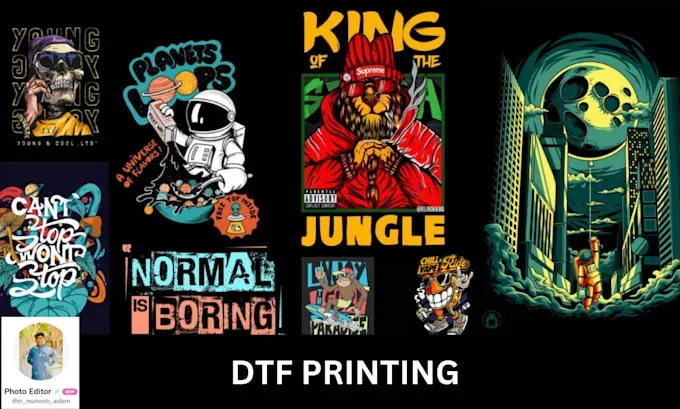
DTF artwork files set the tone for Direct-to-Film printing, often determining whether results are good or great. Design to deliver starts long before you hit print, and it relies on clear DTF file prep and adherence to DTF printing guidelines so your production team receives production-ready assets. When you understand how DTF color management and proper layering affect your artwork, you can reduce misprints, color mismatches, and delays, delivering consistent, high-quality transfers. This guide explores practical steps aligned with the DTF design workflow and DTF artwork specs to help you structure a production-ready file from concept to final output. Whether you’re a freelance designer or a production specialist, mastering these concepts helps ensure predictable results across multiple jobs.
Think of your prep work as production-ready assets that move from design software to the printer, serving as the bridge between concept and garment. In the DTF pipeline, deliverables like print-ready art or transfer-ready graphics depend on consistent color fidelity, clear layered structure, and safe margins. This reframing mirrors an efficient prepress workflow and robust artwork specs that keep production on track. Using a common language—production-ready assets, prepress files, color management templates—helps partners reproduce your intent with accuracy across runs.
DTF Artwork Files: From Concept to Production
DTF artwork files are the production-ready artifacts that travel from idea to transfer. They carry the printer’s capabilities, the film’s transfer properties, and the end-to-end workflow from your design software to the final garment. By treating these files as the backbone of the process, you reduce misprints, color shifts, and delays, ensuring a smoother handoff to your production team and a more predictable output.
In practice, this means designing with final print dimensions in mind, anticipating bleed and edge-to-edge placement, and standardizing a file prep mindset that fits into the larger DTF printing guidelines. When you structure artwork with the end result in mind, you create a reliable bridge between concept and transfer that supports consistent quality across jobs.
DTF File Prep: Building a Production-Ready Workflow
A robust DTF file prep starts with a clear naming convention, organized layers, and a non-destructive approach to edits. Start with a master file that captures all color and layout decisions, then export standardized variants for different print runs. This disciplined prep reduces rework and speeds up production by giving partners a clear map of what to print.
As you prepare, ensure high-resolution source art is scaled to the final print size, preserve editable layers for future changes, and export final versions in formats your print partner accepts (typically a high-quality PNG or TIFF with no compression artifacts). Backups with metadata detailing color profiles, print type, and post-processing steps complete the production-ready package.
DTF Artwork Specs and File Formats: Aligning for Success
DTF artwork specs guide how files should be prepared to meet printer requirements, emphasizing consistent color management, file integrity, and predictable output. Adhering to a standard color space, a safe resolution, and appropriate file formats helps ensure your designs reproduce faithfully on fabric.
Bleed, safe margins, and transparency handling are essential considerations. If using layered artwork, keep critical elements in non-transparent areas to prevent texture changes or opacity shifts during transfer. Aligning with DTF artwork specs minimizes surprises in production and supports smoother collaborations with print partners.
DTF Color Management: Keeping Colors Consistent Across Runs
Color management anchors successful transfers. Align your artwork with the printer’s color profile, embed or share color profiles, and test with small proofs before committing to larger runs. Establishing a shared color baseline with your print partner makes future jobs faster and more reliable, helping you reproduce the intended look faithfully.
Work in a color workflow that supports your target output, whether CMYK or a printer-specific profile. When possible, engage in soft-proofing and on-press checks to catch shifts early. These practices, aligned with DTF printing guidelines, reduce discrepancies between screen design and fabric result.
Resolution, Bleed, and Margins: Guardrails for Print Quality
Resolution directly impacts the clarity of fine text, small details, and smooth gradients on transfer films. Working at 300 dpi or higher at the final size preserves legibility and detail, while avoiding pixelation on the garment. Bleed accounts for misalignment during transfer and cutting, ensuring the design extends to the edges without unexpected gaps.
Safe margins protect essential artwork from being trimmed away, and proper bleed prevents white artifacts along the edges. Incorporating these guidelines into your DTF artwork files reduces production guesswork and supports consistent results across different garment sizes and placements.
Version Control and Design Workflow: Keeping Projects in Sync
Well-organized files and versioned folders minimize the risk of using outdated assets. Maintain a clear project structure (concept, approved, production) and include notes about color profiles, print settings, and client changes. This discipline is a fundamental part of the design to deliver mindset and aligns with a scalable DTF workflow.
A robust DTF design workflow uses templates, a color profile library, and shared briefs that travel with the file. Regular proofing and color checks, combined with asset version control, keep teams aligned across multiple jobs and clients, reducing back-and-forth and accelerating on-time delivery.
Frequently Asked Questions
What are the most common pitfalls to avoid when preparing DTF artwork files for production, and how do DTF printing guidelines address them?
DTF artwork files should follow the published DTF printing guidelines to minimize misprints and color drift. Common pitfalls include pixelation from low resolution, color mismatches due to unmanaged profiles, miscalculated bleed, accidentally flattened layers, and inconsistent naming. To avoid these, design with final print size in mind, target 300 dpi at the final size, embed or match the printer’s color profile, include bleed and safe margins, keep layers editable until final export, and export production-ready files (PNG or TIFF) with a clear, versioned naming scheme and metadata about color profiles and post-processing steps.
How should I approach DTF file prep to ensure color accuracy and sharp edges?
DTF file prep should start with a clear, consistent process: use a master file, organized layers, and a standardized export path. For color accuracy and sharp edges, work at final size, keep high-resolution art, preserve editable layers for edits, but export flattened production versions. Export at print-ready resolution (300 dpi) in a format your partner accepts (PNG or TIFF) with no compression artifacts. Always embed the printer’s color profile and include notes about color space, print type, and any post-processing steps to support DTF color management.
What is a recommended DTF design workflow from concept to transfer for consistent results?
Following a strong DTF design workflow helps ensure consistent results across jobs. Begin with templates and a shared color profile library, maintain versioned folders (concept, approved, production), and use a pre-print checklist to confirm size, bleed, and fonts. Generate a print-ready PNG at 300 dpi with bleed, plus a TIFF for archival. Share exports with your print partner and attach production notes describing transfer settings. This design-to-deliver approach keeps work aligned with production realities and reinforces the DTF design workflow.
What are essential DTF artwork specs to share with a print partner?
Essential DTF artwork specs to share with a print partner include color space (CMYK or a printer-specific profile), embedded color profiles, 300 dpi final resolution, and a preferred file format (TIFF or PNG; PDF or PSD may be accepted by some partners for layered work). Design with bleed and safe margins, preserve transparency and layer structure as needed, and ensure fonts are outlined or embedded. Provide metadata on color profiles, print type, and post-processing steps so the partner can reproduce consistent transfers.
How does color management impact DTF artwork files and transfer quality?
DTF color management directly affects transfer quality. By aligning artwork with the printer’s color profile, you minimize color shifts from screen to fabric. Build a process that embeds color profiles in all files, run proofing with a small test print, and establish a shared profile with your print partner. Regularly verify color accuracy across devices and media, and adjust downstream workflows to maintain consistent results for every DTF artwork file.
What steps comprise a reliable DTF design workflow to ensure consistent DTF artwork files across projects?
A reliable DTF design workflow starts with a master file and a versioned library, then uses standardized artboards, bleed, and export settings. Maintain a library of color profiles and a shared brief for every project. Implement a pre-print checklist (print size, placement, fonts, embedded profiles), generate a production-ready export (PNG at 300 dpi with bleed) and an archival TIFF, and keep notes for future iterations. This practical DTF design workflow keeps artwork files consistent across projects and partners.
| Key Point | Summary |
|---|---|
| Purpose of DTF artwork files | Artwork files set expectations; design to deliver begins with the files you hand off to production; reduces misprints, color mismatches, and delays; enables predictable, high‑quality transfers. |
| Understand DTF artwork files | DTF artwork files are production‑ready artifacts that travel from concept to transfer. They account for printer capabilities, film transfer properties, and the workflow from design software to the final garment, guiding canvas size, color space, and resolution to avoid pixelation or color shifts. |
| Final print dimensions and bleed | Work with final print dimensions in mind and frame the artwork accordingly. Anticipate bleeding, trimming, and edge‑to‑edge designs to minimize production surprises and support a consistent DTF file prep workflow. |
| DTF File Prep and Design to Deliver | A robust workflow starts with a clear naming convention, organized layers, and a non‑destructive editing approach. Use a master file and export standardized variants for different print runs; scale art to final size, preserve layers, export print‑ready PNG/TIFF, and back up with metadata. |
| High‑resolution and format exports | Use high‑resolution source art scaled to the final print size with crisp edges; preserve editable layers for future changes, but export final versions for production as PNG or TIFF with no compression artifacts; keep a backup of the original design with color profiles and post‑processing notes. |
| DTF Artwork Specs and File Formats | Expect consistent color management and file integrity. Common specs include CMYK or printer‑specific color profiles, 300 dpi or higher at final size, TIFF/PNG as preferred formats (PDF/PSD for layered work), plus bleed, safe margins, and careful handling of transparency and layers. |
| Color Management and Consistency | Align files with the printer’s color profile and embed or request the color profile. Test a small proof and, when possible, share a profile with the print partner to standardize future jobs and minimize color shifts. |
| Resolution, Bleed, and Safe Margins | Work at 300 dpi or higher for legibility and detail; include bleed to account for misalignment during transfer and trimming; designate safe margins to protect important artwork. |
| Artwork Organization and Version Control | Maintain a versioned folder structure that marks project stages (concept, approved, production) and notes color profiles, print settings, and client changes. This supports a design‑to‑deliver mindset and minimizes back‑and‑forth. |
| Practical Pre‑Print Checklist for DTF Artwork Files | Use a pre‑print checklist: confirm final print size/placement, verify embedded profiles, ensure required resolution, ensure text is outlined or embedded, check transparency and layer visibility in the export, follow naming conventions, and perform a quick visual check for artifacts. |
| Common Pitfalls and How to Avoid Them | Pixelation from low resolution; color mismatches from missing profiles; bleeding issues from inadequate bleed; flattened layers that lose effects; inconsistent file naming leading to confusion. Address these with high‑quality previews, embedded profiles, proper bleed, layered originals, and strict naming schemes. |
| Case Study: A Typical DTF Workflow | A designer starts with layered PSD/AI files, converts text to outlines, creates a 300 dpi print‑ready PNG with bleed, and exports an archival TIFF. The printer uses the TIFF for color‑accurate reproduction and the PNG as a client‑proof view, illustrating a design‑to‑deliver workflow. |
| Workflow Tips for Consistency Across Projects | Create templates with standardized artboards, bleed, and export settings; maintain a color profile library; document decisions in a shared brief; schedule regular proofing and color checks; use version control to track changes. |
Summary
DTF artwork files are the backbone of a smooth, predictable Direct‑to‑Film printing workflow. By focusing on proper file prep, adhering to artwork specs, and embracing a design‑to‑deliver mindset, you reduce the risk of color drift, misalignment, and delays. The process covers understanding color management, maintaining organized assets and version control, and aligning with printer guidelines to scale production without sacrificing quality. Whether you are a freelance designer, an in‑house print specialist, or an educator sharing essentials, these insights help you align your designs with successful DTF printing guidelines. When you treat every project as a production‑ready asset from the outset, transfers become more efficient and reliable across all DTF printing jobs.